Top Features of Intuit Accounting Software
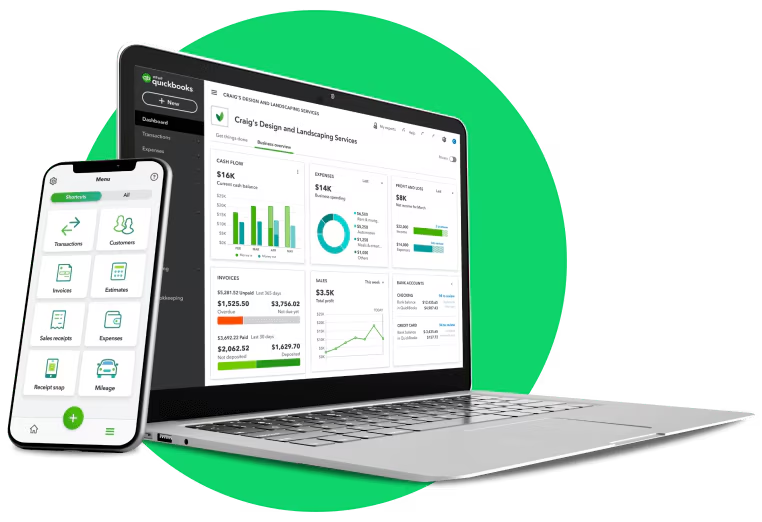
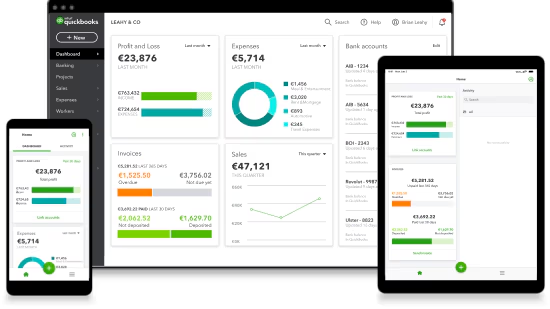
In today’s digital business environment, managing finances manually is no longer practical for small or medium-sized businesses. Companies need smart, automated, and cloud-based accounting tools to stay efficient and competitive. One of the most widely used solutions in this space is Intuit Accounting Software, especially through its flagship product QuickBooks.
Intuit provides powerful accounting tools designed to simplify bookkeeping, invoicing, payroll, tax management, and financial reporting. This article explains the top features of Intuit accounting software and how they help businesses operate more efficiently.
What is Intuit Accounting Software?
Intuit accounting software refers mainly to QuickBooks, a cloud-based and desktop financial management system created by Intuit Inc. It is designed to help businesses manage their financial operations without needing deep accounting knowledge.
It is widely used by:
- Small businesses
- Freelancers
- Startups
- Accountants
- Online businesses (eCommerce)
The main goal of Intuit software is to automate financial tasks and give business owners a clear view of their financial health.
Top Features of Intuit Accounting Software
Below are the most important and powerful features that make Intuit accounting software one of the best in the industry.
1. Automated Bookkeeping
One of the strongest features of Intuit QuickBooks is automated bookkeeping.
Instead of manually entering every transaction, the software:
- Connects to your bank account
- Automatically imports transactions
- Categorizes income and expenses
- Updates financial records in real time
This reduces human error and saves a huge amount of time for business owners.
👉 Example: If you buy office supplies, QuickBooks automatically records it under expenses.
2. Easy Invoicing System
Intuit makes invoicing simple and professional.
With QuickBooks, you can:
- Create custom invoices
- Add your company logo
- Send invoices via email
- Track payment status
- Send payment reminders
This helps businesses get paid faster and maintain better cash flow.
👉 You can also set recurring invoices for regular clients.
3. Expense Tracking
Tracking expenses is critical for business success. Intuit accounting software automatically tracks and organizes expenses.
Features include:
- Bank and credit card integration
- Receipt scanning via mobile app
- Expense categorization
- Real-time updates
This makes it easier to understand where your money is going.
👉 Example: Travel, office rent, marketing costs are automatically sorted into categories.
4. Financial Reporting
Intuit provides powerful financial reporting tools that help businesses make smart decisions.
You can generate reports such as:
- Profit & Loss Statement
- Balance Sheet
- Cash Flow Report
- Sales Reports
- Expense Reports
These reports give a complete overview of business performance.
👉 Business owners can quickly see whether they are making profit or loss.
5. Tax Management and Preparation
Tax season can be stressful for small businesses, but Intuit simplifies it.
Key tax features include:
- Automatic tax calculations
- Expense tax categorization
- Tax deadline reminders
- Tax-ready financial reports
This ensures businesses stay compliant with tax laws and avoid penalties.
👉 It also helps identify possible tax deductions.
6. Payroll Management
Intuit offers a built-in payroll system for managing employees.
Features include:
- Automatic salary calculations
- Tax deductions
- Direct deposit payments
- Employee time tracking
- Payroll tax filing
This eliminates the need for separate payroll software.
👉 It ensures employees are paid accurately and on time.
7. Cloud-Based Access
One of the most powerful features of Intuit accounting software is cloud technology.
This allows users to:
- Access data from anywhere
- Use mobile, tablet, or computer
- Sync data in real time
- Work remotely with accountants
👉 Business owners can manage finances even while traveling.
8. Bank Integration and Reconciliation
Intuit connects directly to bank accounts and credit cards.
This feature helps to:
- Import transactions automatically
- Match records with bank statements
- Detect errors or duplicates
- Reconcile accounts easily
👉 This ensures financial accuracy and reduces manual work.
9. Mobile App Functionality
The QuickBooks mobile app allows users to manage finances on the go.
Mobile features include:
- Sending invoices
- Tracking expenses
- Capturing receipts
- Viewing reports
- Monitoring cash flow
👉 Perfect for business owners who are always on the move.
10. Inventory Management
For product-based businesses, inventory tracking is essential.
Intuit helps businesses:
- Track stock levels
- Monitor product sales
- Get low-stock alerts
- Manage purchase orders
👉 This prevents overstocking or running out of products.
11. Multi-User Access
Intuit accounting software allows multiple users to work on the same account.
You can:
- Add accountants
- Give limited access to employees
- Control permissions
- Collaborate in real time
👉 This improves teamwork and financial transparency.
12. Integration with Other Tools
QuickBooks integrates with many third-party apps such as:
- Payment gateways
- CRM systems
- E-commerce platforms
- Marketing tools
- Payroll services
👉 This makes it a complete business management ecosystem.
13. Artificial Intelligence and Automation
Modern Intuit software uses AI-powered tools to improve efficiency.
AI features include:
- Auto-categorizing expenses
- Predicting cash flow
- Identifying financial trends
- Smart suggestions for savings
👉 This helps businesses make faster and smarter decisions.
14. Security and Data Protection
Security is a major priority for Intuit.
It offers:
- Bank-level encryption
- Multi-factor authentication
- Secure cloud storage
- Regular backups
👉 This ensures that sensitive financial data is always protected.
15. Cash Flow Management
Cash flow is the lifeline of any business. Intuit helps monitor it in real time.
Features include:
- Income vs expense tracking
- Future cash flow predictions
- Payment reminders
- Budget planning tools
👉 This helps avoid financial shortages.
Benefits of Using Intuit Accounting Software
Using Intuit provides several advantages:
- Saves time through automation
- Reduces human errors
- Improves financial accuracy
- Helps with tax compliance
- Supports business growth
- Easy to use for beginners
Who Should Use Intuit Accounting Software?
It is suitable for:
- Small business owners
- Freelancers
- Online sellers
- Startups
- Accounting professionals
Even users with no accounting background can use it easily.
Conclusion
Intuit accounting software, especially QuickBooks, is one of the most powerful financial tools for small businesses. Its features like automated bookkeeping, invoicing, payroll, reporting, and AI-based insights make financial management simple and efficient.
In today’s competitive business world, using smart accounting software is no longer optional—it is essential. Intuit helps businesses save time, reduce errors, and focus on growth instead of manual accounting work.
If you want a reliable and scalable solution for managing your business finances, Intuit accounting software is one of the best choices available today.